
Aadhaar Enrolment Status | UIDAI EID Status
Every official way to check where your Aadhaar application stands right now online, by SMS, by phone, or in person plus what each status message actually means.
You submitted your Aadhaar application weeks ago, and now you’re refreshing your inbox every day, waiting for something to happen. Sound familiar? Millions of Indians face this exact moment every year and checking your aadhaar enrolment status takes less than two minutes once you know where to look.
What Does Aadhaar Enrolment Status?
When you enrol for Aadhaar or update your details, UIDAI doesn’t hand you the card on the spot. Your application moves through a verification pipeline first. Your enrolment status simply tells you where your application sits in that pipeline right now — still processing, stuck at a stage, or fully generated and ready to download.
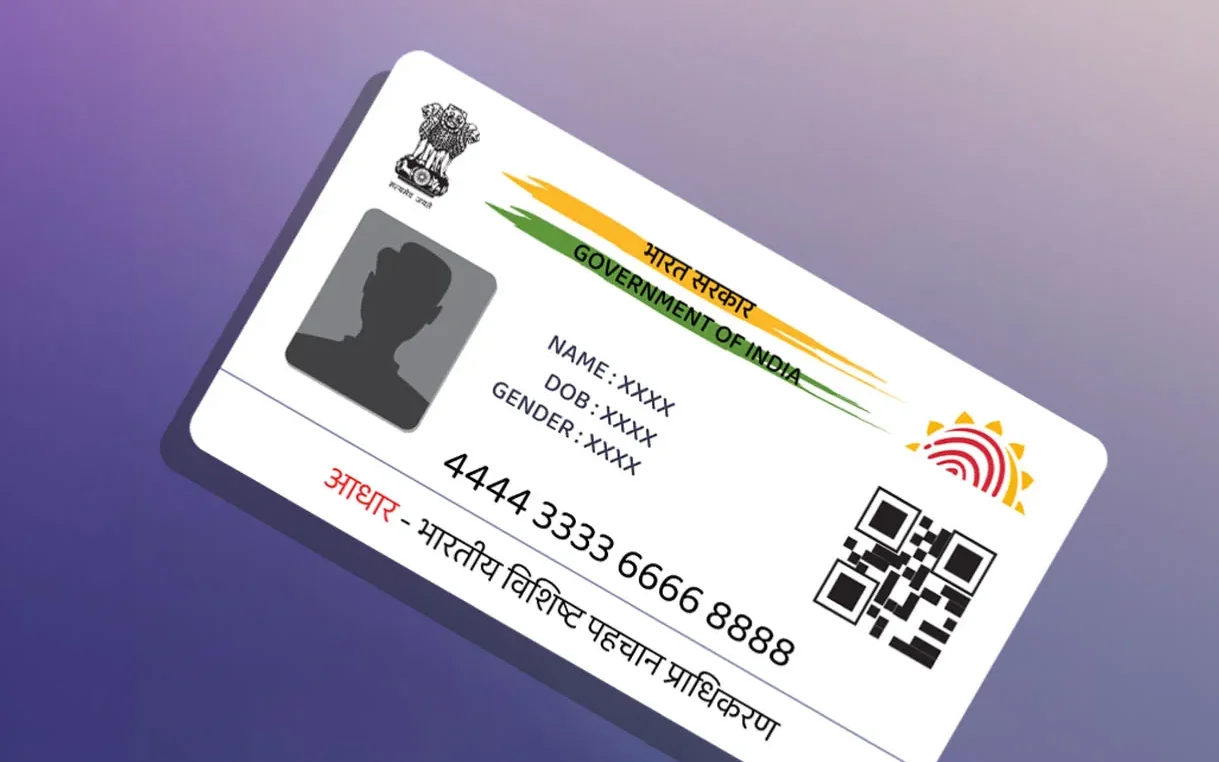
You’ll need to run a uidai aadhaar status check using either your Enrolment ID or your Aadhaar number. The process itself costs nothing, and UIDAI never asks you to pay a rupee for it. A quick aadhaar status check or myaadhaar status lookup is really all it takes to know exactly where things stand.
⚠ Watch out
If a website asks for payment to “speed up” your status check, close that tab immediately — it’s not an official UIDAI service.
Before the steps, one distinction matters: aadhaar authentication confirms your identity the moment you use a service, like opening a bank account. Aadhaar verification confirms your details are genuine and match UIDAI’s records. Status checking is different — it only tracks your application’s progress, nothing more. If you’re on a deadline for a bank account, scholarship, or scheme, that five-minute check today can save you a frustrating delay next week.
Types of Aadhaar Status You Can Check
Most guides lump everything into one bucket. In reality, UIDAI tracks four separate things, and each uses a different reference number.
| Status type | What it tracks | Reference needed |
|---|---|---|
| New enrolment | First-time Aadhaar application | EID |
| Aadhaar update status | Name, address, mobile, biometrics | URN |
| Aadhaar correction status | Fixing errors in existing details | URN |
| PVC card order | Physical plastic card delivery | SRN |
Knowing which bucket your query falls into saves you from checking the wrong tracker and getting confused by a “no record found” message.
Decode These Terms First
- EID
28-digit Enrolment ID printed on your acknowledgement slip. - URN
Update Request Number, generated after a correction or update. - SRN
Service Request Number, used specifically for PVC card orders. - UID
Your final 12-digit Aadhaar number, once generated. - VID
A temporary 16-digit Virtual ID for extra privacy during authentication.
What You Need Before You Check
Grab your aadhaar acknowledgement slip first. It’s the paper or PDF you received right after enrolling or updating your details, and it carries your EID or URN at the top.
Lost the slip? Don’t panic. You can retrieve aadhaar number or retrieve eid through UIDAI’s official recovery tool using your registered name, mobile number, or email address — full steps below.
How to Check Status Online
This is the fastest, most reliable method, and it works for eid status check as well as full Aadhaar generation tracking.
- Open the uidai official website or go directly to the myaadhaar portal.
- Complete your myaadhaar login or uidai login using your registered mobile number and OTP, or skip login and use the direct “Check Enrolment & Update Status” tool.
- Enter your 28-digit EID along with the date and time printed on your slip.
- Type the captcha code exactly as shown.
- Click “Check Status” to run your uidai status check.
- Your screen shows one of five stages: Draft, Payment, Verification, Validation, or Completed.
If you’re checking after an apply for aadhaar card submission, expect the process to take anywhere from 10 to 90 days depending on document verification load in your region. This applies whether you did a fresh aadhaar new registration or an aadhaar registration online through a Seva Kendra appointment. The same result screen also works as your aadhaar card status check, your aadhaar application status check, and your aadhaar card application status check — UIDAI uses one unified tracker for all three phrases people search.
Checking Status Without an Enrolment Number
- Visit the “Retrieve Lost EID/UID” tool on the myAadhaar portal.
- Enter your full name, registered mobile number or email, and the captcha.
- You’ll receive an OTP on your registered mobile number.
- Enter the OTP, and the system displays your EID or UID.
- Use that number to run your check aadhaar enrolment status search as normal.
This method works for pretty much every aadhaar enquiry where you’ve lost your paperwork but still have access to your registered mobile number — including if you only remember bits of your aadhaar eid status history but not the exact number itself.
Check Status via SMS and Phone Call
Not everyone has smooth internet access, and UIDAI accounts for that too.
BY SMS
Send a message in the specified format to 51969 from your registered mobile number. You’ll get your Aadhaar status back as a text reply within minutes.
BY PHONE
Dial 1947, UIDAI’s toll-free aadhaar customer care line. Choose enrolment or update status, then enter your EID or URN when prompted.
This method doubles as general aadhaar help for anything beyond status checks — lost documents, centre locations, or complaint registration.
Checking Update or Correction Status
Updated your address, name, or mobile number recently? Here’s how to run your check aadhaar update status search.
- Go to the myAadhaar portal and select “Check Aadhaar Update Status.”
- Enter your URN, found on the acknowledgement you received after submitting the update.
- Add the captcha and submit.
- The portal shows your aadhaar update request status — pending, in-progress, or completed.
Update requests typically process faster than fresh enrolments, usually within 10 to 30 days. If your aadhaar status update shows “rejected,” see the rejection section below — the fix is usually simple. This entire flow is officially labeled uidai aadhaar update status on the portal, so don’t get confused if the menu wording looks slightly different from what you searched.
Download e-Aadhaar Once Status Shows Complete
The moment your status flips to “Completed,” you can grab your digital copy immediately. Here’s how e-Aadhaar download works.
- Return to the myAadhaar portal homepage.
- Click Download e-Aadhaar.
- Enter your Aadhaar number, or your EID if the UID hasn’t been shared with you directly yet.
- Verify using OTP sent to your registered mobile number.
- The portal generates a password-protected PDF your password is the first four letters of your name (in capitals) plus your birth year.
This process is officially called UIDAI e-Aadhaar, and it’s completely free. If you’re still wondering how to download e aadhaar without visiting a cyber café, this online method is the only one you need the PDF is legally as valid as your physical card anywhere in India. The uidai e aadhaar file also comes with a QR code, so anyone verifying your identity can scan it instantly.
Understanding Every Status Message
DRAFT
Your application is logged but not yet processed.

PAYMENT
System is confirming fee-related details, usually only for updates with a service charge.

VERIFICATION
Your documents and biometrics are being checked against UIDAI's database.

VALIDATION
Final quality checks before your Aadhaar number gets locked in.

COMPLETED
Your Aadhaar is generated — download it right away.
Good to know
If your status hasn’t moved past “Verification” in over 60 days, call the helpline directly instead of refreshing the page endlessly.
How to Book an Aadhaar Appointment
If you haven’t enrolled yet, or need an in-person visit for biometric updates, you’ll need to book aadhaar appointment slots through a uidai appointment.
- Visit the myAadhaar portal and select “Book an Appointment.”
- Choose your nearest aadhaar enrollment center or aadhaar enrolment centre using your city or PIN code.
- Pick an available date and time slot.
- Carry your original identity and address proof documents to the appointment.
Booking ahead through this aadhaar enrolment appointment system saves you from long walk-in queues. Once your visit is done, you’ll walk out with an acknowledgement slip, and your journey through aadhaar card online tracking begins from there. This same portal handles all uidai aadhaar services and other aadhaar online services, so bookmark it for future updates too.
Checking Status on the mAadhaar App
If you’d rather not open a browser every time, install the mAadhaar app from the Play Store or App Store. Once you log in with your registered mobile number, the app keeps your Aadhaar profile saved locally, so you can pull up your status, your QR code, and your masked Aadhaar number without repeating OTP verification every time. It’s handy for frequent travelers who need identity proof on the go, or for parents managing more than one Aadhaar profile in the household. The app mirrors everything the myAadhaar portal offers, just packaged into a faster, mobile-first experience.
If Your Status Shows “Rejected”
- Log in to the myAadhaar portal and open your status result to see the exact rejection reason.
- Common causes include blurry documents, mismatched name spellings, or incomplete address proof.
- Correct the flagged issue and resubmit online where possible.
- If online correction isn’t available, visit your nearest enrolment centre with the corrected documents.
✓ Don’t panic
Most rejections get resolved within a single re-submission. A rejected aadhaar card enrollment status almost always comes down to a document mismatch, not a permanent block — treat it as a quick fix, not a dead end.
Special Cases: Children, NRIs, Senior Citizens
CHILD
Under-5s get a blue Aadhaar (Baal Aadhaar) linked to a parent’s Aadhaar. Check the child’s status the same way, using the child’s EID.
NRI
Resident Foreign Nationals follow the same tracking process but need visa or OCI details correctly linked before status clears verification.
SENIOR
Without smartphone access, lean on the phone or offline methods — a family member or centre staff can help with the digital steps.
Track Your Application the Right Way
Good aadhaar application tracking isn’t a one-time check — it’s a habit worth building until you see “Completed.” Set a reminder to check every 7–10 days rather than daily; UIDAI’s system updates in batches, so checking hourly won’t show new information any faster.
Troubleshooting Common Problems
- “INVALID EID” ERROR
- Double-check you’re entering all 28 digits, including the date-time stamp.
- PORTAL NOT LOADING
- Try off-peak hours (early morning or late evening), or switch to SMS/call.
- “NO RECORD FOUND”
- Confirm you’re using the correct number type — EID vs. URN vs. SRN — for the status you need.
- OTP NOT RECEIVED
- Check your registered mobile number is active; if changed, update it at an enrolment centre first.
Data Security Tips
Only ever use the official UIDAI website or the myAadhaar portal — never a third-party app promising “instant” results. Avoid saving your EID or Aadhaar number in plain text messages or unsecured notes apps. When you complete your verify aadhaar or status check, always log out of the portal, especially on shared or public computers.
Frequently Asked Questions
How long does Aadhaar enrolment status take to complete?
Most applications complete within 10 to 90 days, though a majority finish within the first month.
Can I do an aadhaar online status check without a registered mobile number?
Yes. Use your name and email address instead, and the portal sends an OTP to your registered email for verification.
Is there a fee to check aadhaar status online?
No. UIDAI never charges for status checks, downloads, or appointment bookings.
What’s the difference between EID and URN?
EID tracks new enrolments; URN tracks updates and corrections to an existing Aadhaar.
Can I check my aadhaar enrolment number status by name alone?
No. UIDAI requires either your EID/URN or a combination of name plus registered mobile number/email for security reasons.
My Aadhaar has been stuck at Verification for two months. What should I do?
Call 1947 directly with your EID handy — phone support can often flag a stuck case for manual review faster than online checks alone.
Final word
Checking your Aadhaar enrolment status doesn’t need to feel like a mystery. Whether you go through the portal, send an SMS, make a call, or visit a centre in person, UIDAI gives you four reliable, completely free paths to the same answer. Bookmark the myAadhaar portal, keep your acknowledgement slip somewhere safe, and you’ll have your Aadhaar confirmed faster than you think.
Source of truth: myaadhaar.uidai.gov.in — always verify against the live UIDAI portal.