
Aadhaar Card Status Check
7 Ways to Track Your Enrolment & Update
From EID to SMS to the brand-new Aadhaar App — every method explained simply, with no jargon.
Every year, crore of Indians wait anxiously after enrolling for Aadhaar or submitting an update request. Some wait 90 days without knowing the card sits in a UIDAI quality queue. Others panic over a status message that sounds alarming but is completely normal. This guide covers every method — online, offline, and by phone — so you always know exactly where your card stands.
What Is Aadhaar Card Status
The Aadhaar Card Status tells you where your 12-digit Aadhaar Number request sits inside UIDAI’s processing system right now. Think of it like a courier tracking page — except what you track is your Aadhaar Application, the most important government identity document in India.
UIDAI (Unique Identification Authority of India) does not hand out cards on the spot. After you visit a centre for Aadhaar Enrollment, your biometrics go through quality checks, demographic verification, and printing before dispatch. That whole journey can take anywhere from a few days to 90 days. Checking your Aadhaar Application Status tells you exactly which stage it is at.
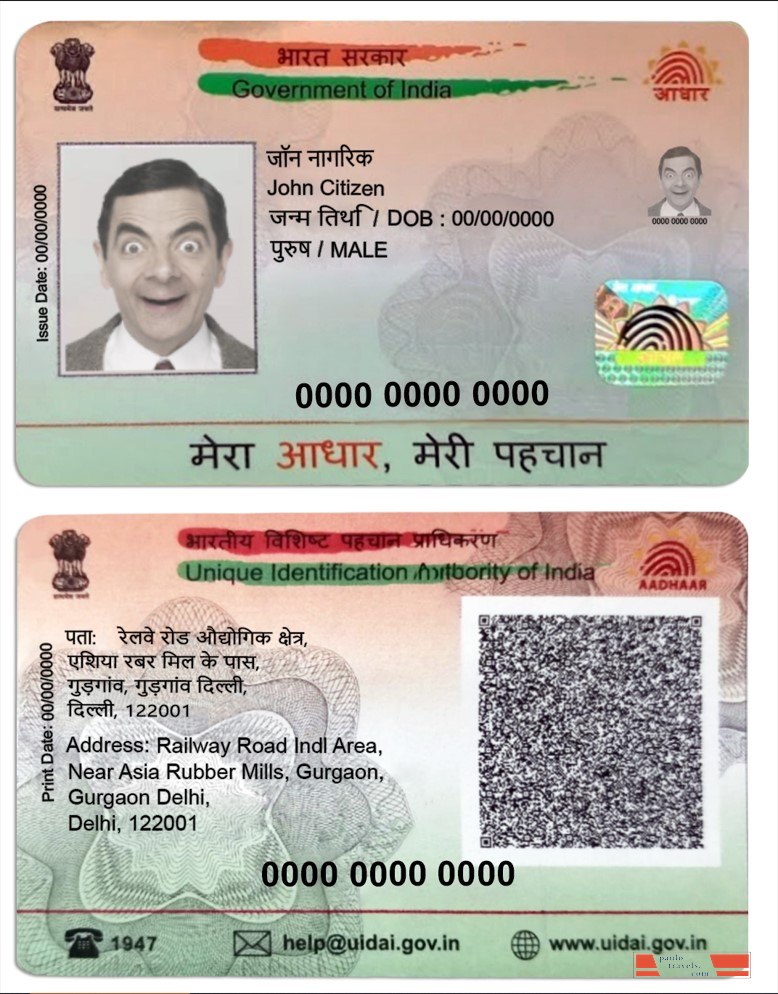
You need to check your Aadhaar Card Status Check for three main reasons: you enrolled for a new card, you requested a change like Aadhaar Name Update, Aadhaar Address Update, or Aadhaar DOB Update, or you ordered a PVC card and want to track delivery. Each scenario uses a slightly different number and process, which this guide covers one by one.
Alert: UIDAI recently deactivated over 2 crore Aadhaar numbers linked to deceased individuals. If you are unsure whether your card is active, use the Aadhaar Verification Online option at UIDAI Official Website uidai.gov.in to verify instantly.
What You Need Before You Start
Before you run an Aadhaar Status Check Online, keep one of these ready depending on what you applied for:
New Enrolment
Enrolment ID / EID Number
28-digit number from your Aadhaar Acknowledgement Slip. It is the 14-digit code + date + time of enrolment — all three parts required.
Demographic Update
Update Request Number / URN Number
Sent via SMS after you submitted the Aadhaar Update Request at a centre or online.
Online Update / PVC Card
SRN Number
Generated on screen and via SMS after you paid for an online update or PVC card order.
All Methods
Registered Mobile Number
Required for OTP Verification and Aadhaar OTP-based login on My Aadhaar portal.
Most common mistake: People enter only the 14-digit part of the EID Number. The complete Enrolment ID is 28 digits — 14 digits + date + time printed on the Aadhaar Enrollment Slip. Without all three parts, the status check will fail.
Aadhaar Enrolment & Update Status
Easily check your Aadhaar enrolment progress or track any updates online in just a few steps.
Check via UIDAI Portal (New Enrolment Status)
FASTEST METHOD — 2 minutes
This is the standard way to run an Aadhaar Status Check Online using your Enrolment ID. Use the UIDAI Official Website only — never any third-party site.
- Go to UIDAI Official Website: myaadhaar.uidai.gov.in — this is the only official Aadhaar Online Portal. Avoid lookalike websites.
- Click “My Aadhaar” in the top menu, then select “Check Aadhaar Status” from the dropdown. This opens the Aadhaar Status Tracker page.
- Enter your full 28-digit EID Number — all three parts from your Aadhaar Acknowledgement Slip: the 14-digit code, the date, and the time of enrolment.
- Fill the captcha and click “Check Status.” Your Aadhaar Processing Status appears immediately — no login or Aadhaar OTP needed at this stage.
- Read the stage displayed: Draft → Payment → Verification → Validation → Completed. Once it shows Aadhaar Ready Status or “Generated,” you can run your Aadhaar Card Download Online right away.
Check Aadhaar Update Status (URN / SRN)
If you submitted an Aadhaar Card Update Online for details like Aadhaar Mobile Update, Aadhaar Name Update, or Aadhaar Address Update, you will have a URN Number (offline) or SRN Number (online). Use those to run a UIDAI Update Status check on the same portal.
Visit uidai.gov.in/CheckAadhaarStatus, enter your Update Request Number instead of the EID, and complete the captcha. The portal will show whether your Aadhaar Update Request is under review, approved, or rejected. Aadhaar Update Tracking this way takes under a minute. Most demographic updates complete within 10 to 30 days.
Free until June 14, 2026: UIDAI currently allows one free Aadhaar Update for documents online. After the deadline, the standard Rs 50 fee applies. Do not miss this window for your Aadhaar Card Update Online.
PVC Aadhaar Card Status Check
You ordered the wallet-sized PVC card for Rs 50 and now want to know where it is. Use your SRN Number at the Aadhaar Online Portal to track the order.
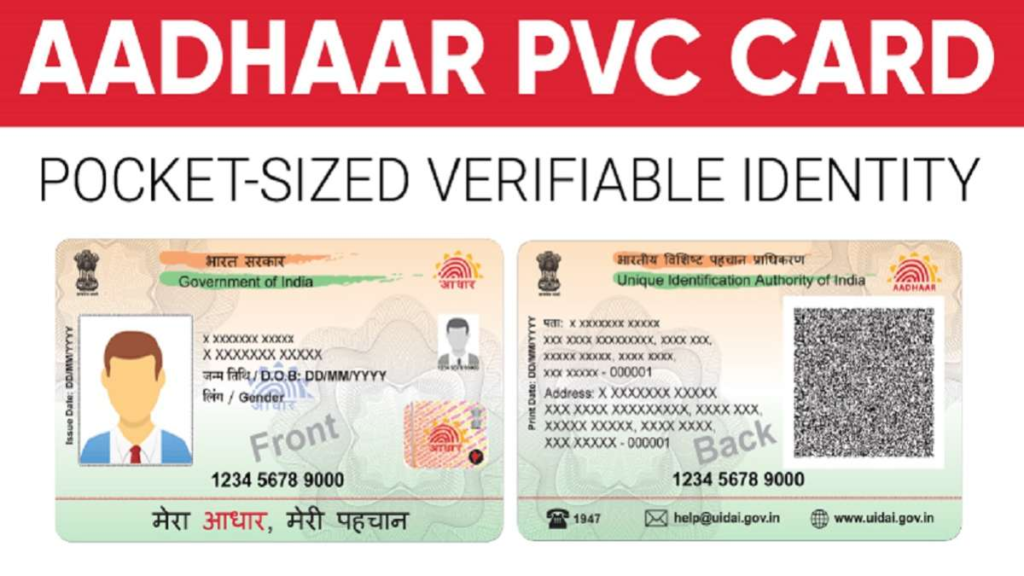
- Go to myaadhaar.uidai.gov/checkStatus.
- Enter your SRN Number and captcha, then click Submit. The Aadhaar Tracking page shows one of three stages: Order Processed, Handed Over to DoP, or Delivered.
- Once it shows “Dispatched,” an AWB number appears. Take that number to indiapost.gov.in for real-time postal tracking — India Post’s own system is separate from UIDAI’s.
Expected timeline: UIDAI dispatches within 5 working days. India Post Speed Post delivery takes another 5–15 days depending on your location. If 30 days pass and nothing arrives, raise a re-dispatch request directly on the UIDAI portal.
SMS Method (No Internet Needed)
Almost no competitor covers this method, yet it works for anyone with a basic phone. Use the Aadhaar SMS Service for Aadhaar Status by SMS checking:
Open your SMS app. Type: UID STATUS <14-digit Enrolment Number>
Example: UID STATUS 12345678901234
Send to 51969. You get an SMS reply with your Aadhaar Processing Status within minutes. Standard SMS charges apply.
This Aadhaar Status by SMS method is perfect for rural residents, senior citizens, and anyone in a low-data area. If your card is already generated, the reply SMS includes your Aadhaar Number too — saving you a separate portal visit.
New Aadhaar App
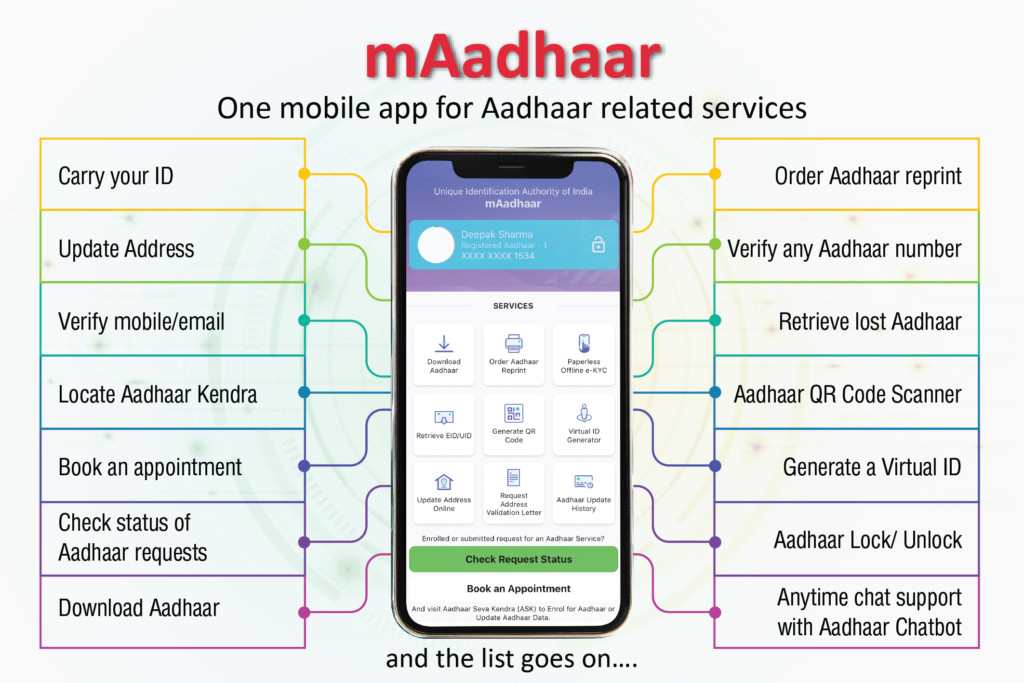
If you still use the old mAadhaar App, pay attention: UIDAI is phasing out mAadhaar and replacing it with a brand-new Aadhaar Mobile App featuring face authentication, QR-based selective sharing, and stronger Aadhaar Privacy protections. This is the biggest Aadhaar Online Services update in years.
The new app lets you check your Aadhaar Status by App, view your Aadhaar Dashboard, scan the Aadhaar QR Code for Aadhaar Identity Verification, and manage your Aadhaar Authentication history — all from one screen. Download it from the Google Play Store or Apple App Store; search for “Aadhaar” and install only the app published by UIDAI.
You can also access Aadhaar Citizen Services via DigiLocker App and UMANG App — both carry a digital copy of your e-Aadhaar and are accepted as valid Digital Aadhaar across government services.
Call UIDAI Helpline 1947
Dial Aadhaar Helpline 1947 from any phone in India — it is toll-free and available 24 hours a day. The UIDAI Helpline IVR supports Hindi, English, and several regional languages. Press:
1 — Know your Aadhaar Enrollment Status
2 — Know your UIDAI Aadhaar Status for updates
3 — Know your PVC card status
4 — Find out Aadhaar Seva appointment status
Keep your EID Number or URN Number ready before calling. This is the best option for senior citizens or anyone who finds the Aadhaar Online Login process confusing. The Aadhaar Support Services team can also guide you through Retrieve EID and Retrieve Aadhaar Number steps over the phone.
Visit Aadhaar Seva Kendra (Offline)
For complex issues — biometric failure, rejection, or no Registered Mobile Number linked — visit a physical Aadhaar Seva Kendra (ASK). These Aadhaar Centre locations handle everything the portal cannot do remotely.
To find the nearest Aadhaar Seva centre, visit uidai.gov.in, click “Locate Enrolment Centre,” and search by your PIN code, city, or state. Carry original documents and your Aadhaar Enrollment Slip. Staff there can run an Aadhaar Online Check for you, update biometrics, and issue a fresh acknowledgement if your old slip is lost.
Aadhaar Status Messages Decoded
The single biggest source of panic is seeing an unfamiliar status message and assuming the worst. Here is exactly what each stage means during Aadhaar Enrollment Tracking:
| Status Message | What It Means | Action Needed |
|---|---|---|
| In Process / Draft Stage | Your data reached UIDAI servers and is queued for review. | Wait — normal stage, no action needed. |
| Under Quality Check | Biometric or document scans are being reviewed for quality. This sounds scary but is completely routine. | Wait — most applications pass this within days. |
| Aadhaar Ready Status / Generated | Your Aadhaar Number is assigned. You can now run Aadhaar Card Download Online. | Download Now |
| Dispatched | Physical card posted via India Post. AWB number available on portal. | Track via India Post |
| Rejected | Documents, biometrics, or demographic data did not pass UIDAI’s checks. | See Section 11 |
| Update Successful | Name, address, or other change applied to your Aadhaar Number record. | Download Updated Card |
What to Do If Status Shows Rejected
A rejection does not mean your Aadhaar Registration is over permanently. Around 80% of rejections trace back to one of five fixable causes:
- Blurry or too-small document scan (upload a clear, coloured scan — UIDAI rule)
- Document not matching the name or address on the Aadhaar Application
- Biometric quality failure — common in elderly residents and manual labourers with worn fingerprints
- Demographic mismatch — DOB on PAN differs from school certificate
- Duplicate biometric flag — your fingerprints matched an existing Aadhaar Number
Check the SMS from UIDAI — it includes a reason code. For a document issue, upload fresh scans on myaadhaar.uidai.gov (Rs 50 fee). For a biometric failure, visit the nearest Aadhaar Seva Kendra for a free re-capture within 90 days. For persistent issues, email help@uidai.gov.in or call Aadhaar Helpline 1947. Aadhaar User Services teams can escalate to the UIDAI Regional Office if needed.
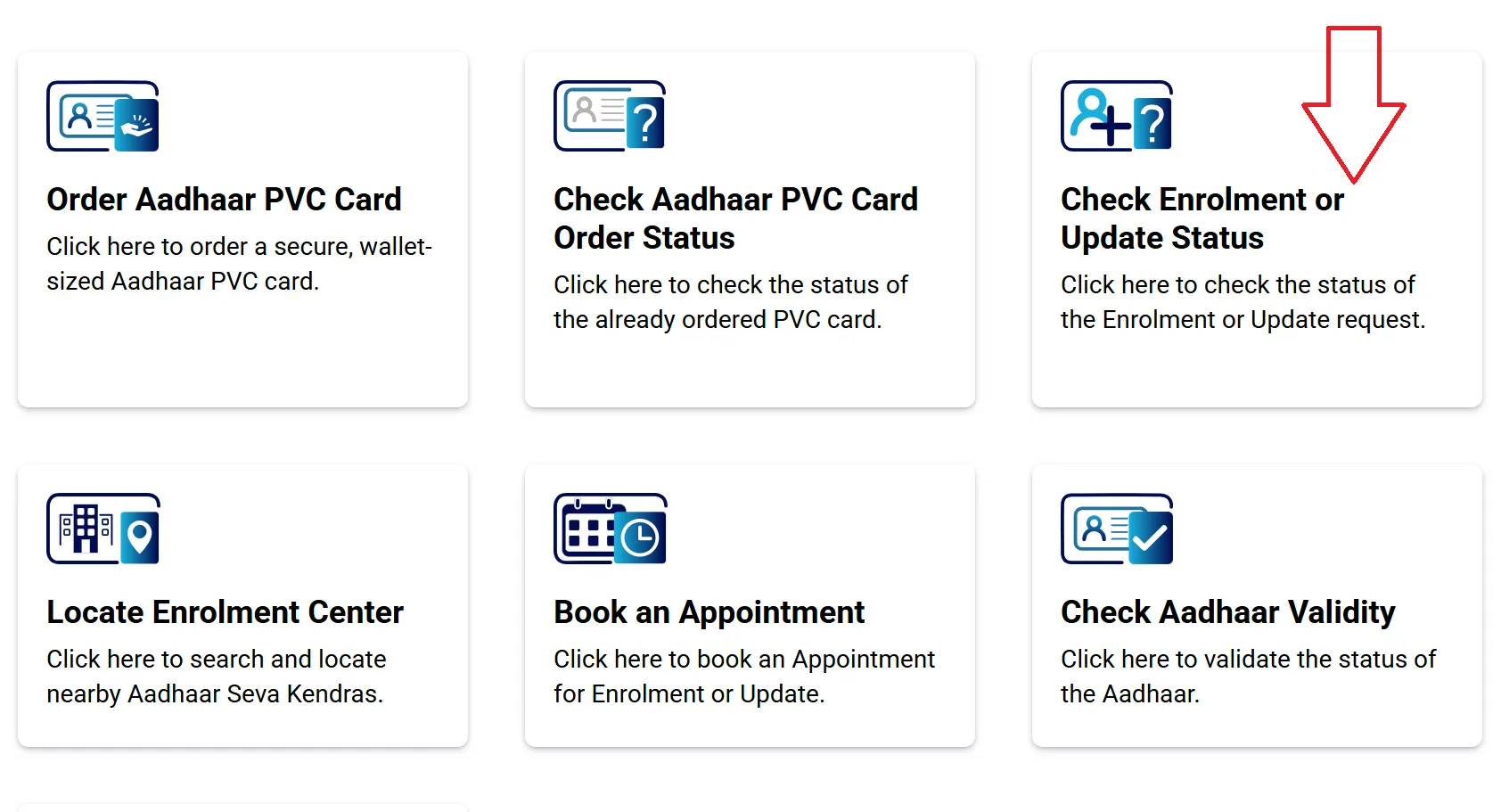
UIDAI Status Check — Enrolment & Update Status page Check Now ↗
Lost Your Enrolment Slip?
No Aadhaar Enrollment Slip? No problem. UIDAI built a Retrieve EID tool specifically for this situation, and it works in under two minutes using Aadhaar Login via OTP.
- Visit uidai.gov.in/retrieve-eid-uid — this is the official Retrieve Aadhaar Number / EID page.
- Select “Enrolment ID” from the dropdown. Enter your full name and your Registered Mobile Number exactly as given at enrolment.
- Complete the captcha, request an OTP, and enter the Aadhaar OTP you receive on your mobile for OTP Verification.
- Your EID Number appears on screen and is also sent via SMS. Now use it for a regular Aadhaar Online Check as described in Method 1.
How Long Does Aadhaar Take?
Knowing realistic timelines stops unnecessary trips to the Aadhaar Centre and pointless re-applications. Here are the current expected ranges for each Aadhaar Status Process:
| Request Type | Expected Time | Notes |
|---|---|---|
| Aadhaar Enrolment Status (new card) | 20–90 days | Urban centres are faster; rural can take longer. |
| Aadhaar Update Status (demographics) | 10–30 days | Verify Enrollment Status at Day 10 first. |
| PVC card dispatch | 5 working days + 5–15 delivery days | Track via India Post AWB after dispatch. |
| Biometric update | 7–15 days | Mandatory for children at ages 5 and 15. |
| Aadhaar DOB Update | 10–30 days | Requires valid document; only once in lifetime. |
Aadhaar for Children – Mandatory Biometric Update (MBU)
Parents, this section is for you. Children who enrolled before age 5 received Aadhaar without biometrics. UIDAI now requires a Mandatory Biometric Update (MBU) at age 5 and again at 15. Over 1 crore such updates were processed across 83,000 schools in 2025–26.
To check your child’s update status, use the same Aadhaar Enrollment Tracking page at myaadhaar.uidai.gov.in with the URN Number given at the school-based enrolment camp. If you did the update at an Aadhaar Seva Kendra, use the EID Number from the Aadhaar Acknowledgement Slip. The Aadhaar Verification Process for children follows the same timeline — 10 to 30 days typically.
Aadhaar Download for children works the same way as adults: use the child’s Aadhaar Number, EID, or Virtual ID on the My Aadhaar Card Download page. The OTP lands on the mobile number registered under the child’s record.
Aadhaar Safety Tips
Strong Aadhaar Security habits prevent Identity Theft Protection problems before they start. Follow these Aadhaar Privacy rules every time you use your card:
- Always access Aadhaar Online Services only through uidai.gov.in or myaadhaar.uidai.gov.in — the UIDAI Official Website. Fake portals steal your data.
- Use Masked Aadhaar when sharing with hotels or private parties — it shows only the last 4 digits of your Aadhaar Number.
- Generate a Virtual ID (VID) for Aadhaar Identity Services and Aadhaar Authentication wherever possible — it keeps your real number private.
- Lock your biometrics via the Aadhaar Dashboard when not in active use — prevents unauthorised Aadhaar Verification.
- Never upload your full Digital Aadhaar or e-Aadhaar to social media or unverified websites.
- Use the Aadhaar QR Code for quick Aadhaar Verification Online — service providers can verify you without seeing your full number.
🚫Identity Verification scam warning: Several fake websites mimic the UIDAI portal and offer “instant Aadhaar Status Tracker” results. They harvest your EID and mobile number. Only trust Government Identity Services through the official uidai.gov.in domain.
Frequently Asked Questions
How do I do an Aadhaar Card Status Check without an enrolment slip?
Use the Retrieve EID tool at myaadhaar.uidai.gov.in/retrieve-eid-uid. Enter your name and Registered Mobile Number, complete OTP Verification, and your EID Number is sent to your phone instantly.
Is Aadhaar Status Check Online free?
Yes, all status checks — enrolment, update, and PVC tracking — are completely free on the Aadhaar Online Portal. Only the PVC card order (Rs 50) and post-deadline document updates carry a fee.
What does “Under Quality Check” mean in UIDAI Aadhaar Status?
It means UIDAI’s team is verifying your biometric and document quality. This is a completely normal processing stage — not a rejection. Most applications move past this within a few working days.
Can I do Aadhaar Verification Online to confirm my card is still active?
Yes. Visit uidai.gov.in → My Aadhaar → Verify Aadhaar. Enter your Aadhaar Number and captcha. The system confirms whether the number is valid and active — useful after the recent 2-crore deactivation drive.
What is the difference between URN Number and SRN Number?
A URN Number (Update Request Number) is given for updates submitted at a physical centre. An SRN Number (Service Request Number) is generated for online updates and PVC card orders on the Aadhaar Online Portal. Both track under the same Verify Update Status page.
Is the e-Aadhaar or Digital Aadhaar from My Aadhaar Card Download legally valid?
Yes. Under the Aadhaar Act 2016, the e-Aadhaar (digitally signed PDF) carries exactly the same legal weight as the physical card for all Identity Verification and Government Identity Services purposes. Banks, telecom providers, and government offices must accept it.
What is Aadhaar Card Download Online password?
The Aadhaar Download PDF is password-protected. Use the first 4 letters of your name in CAPITALS + your birth year. Example: if your name is RAHUL and birth year is 1992, the password is RAHU1992.
Which app replaces mAadhaar App in 2026?
UIDAI launched a new Aadhaar Mobile App with face authentication and Aadhaar QR Code-based selective sharing. Search “Aadhaar” on Play Store or App Store and install only the app published by UIDAI. The DigiLocker App and UMANG App also carry valid Digital Aadhaar copies.